# Users
# Administrators
The Users Page shows a view of all current users provided access to the project and their associated role, as well as invite new users.
To invite a new user, choose the Invite User button on the page.
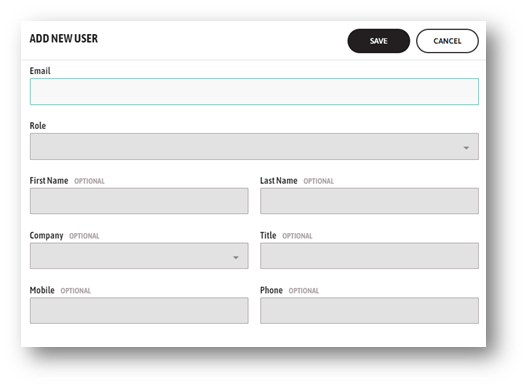
- Enter the email belonging to the user to invite. Job Site Resourcing will determine if this user already has a profile in the system for another project.
- If the user already has a profile, their details will show in the window under the email address. If they already have access to the current project, their role will also be displayed. There is no other task to perform. Choose Cancel.
- If they have a profile, but not to the current project, choose the role to provide, and save. A notification will be triggered to the user email informing them that they have been invited to a new project. They can click the link from their email and get started.
- Otherwise, the user is new to the system. Enter as much information about the user to complete their profile including the role to assign and save. Email, Role and Company are mandatory for a new invite. The recipient will receive an email notification inviting them to complete their profile and have access to this project.
Users with a pending status have not replied to the invitation email. JSR allows resending the invitation to pending user role any time.
← Reports Managed Lists →