# Project Info
# General Users
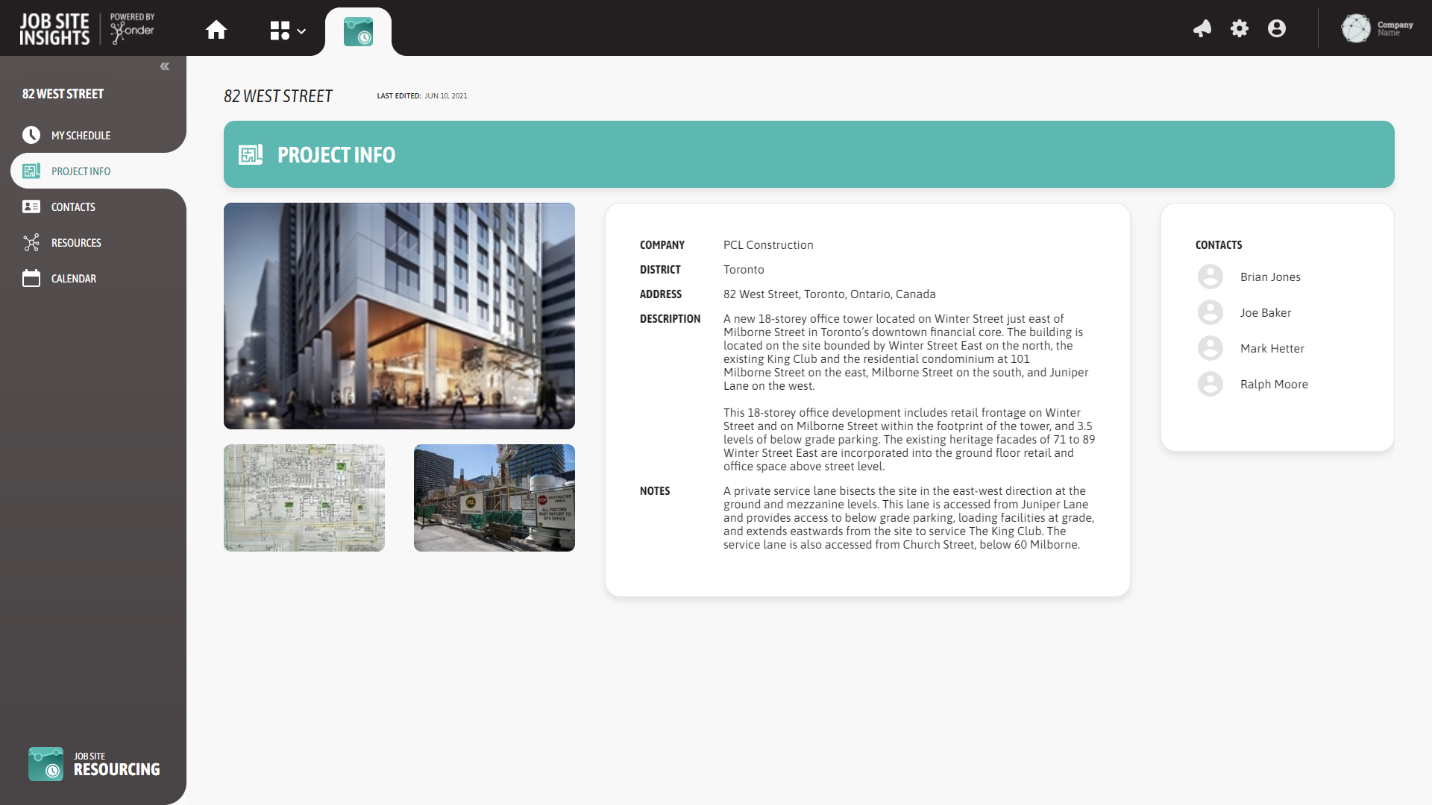
Shows helpful information about the project in this area, including project address, contacts, and potential site photos.
# Administrators
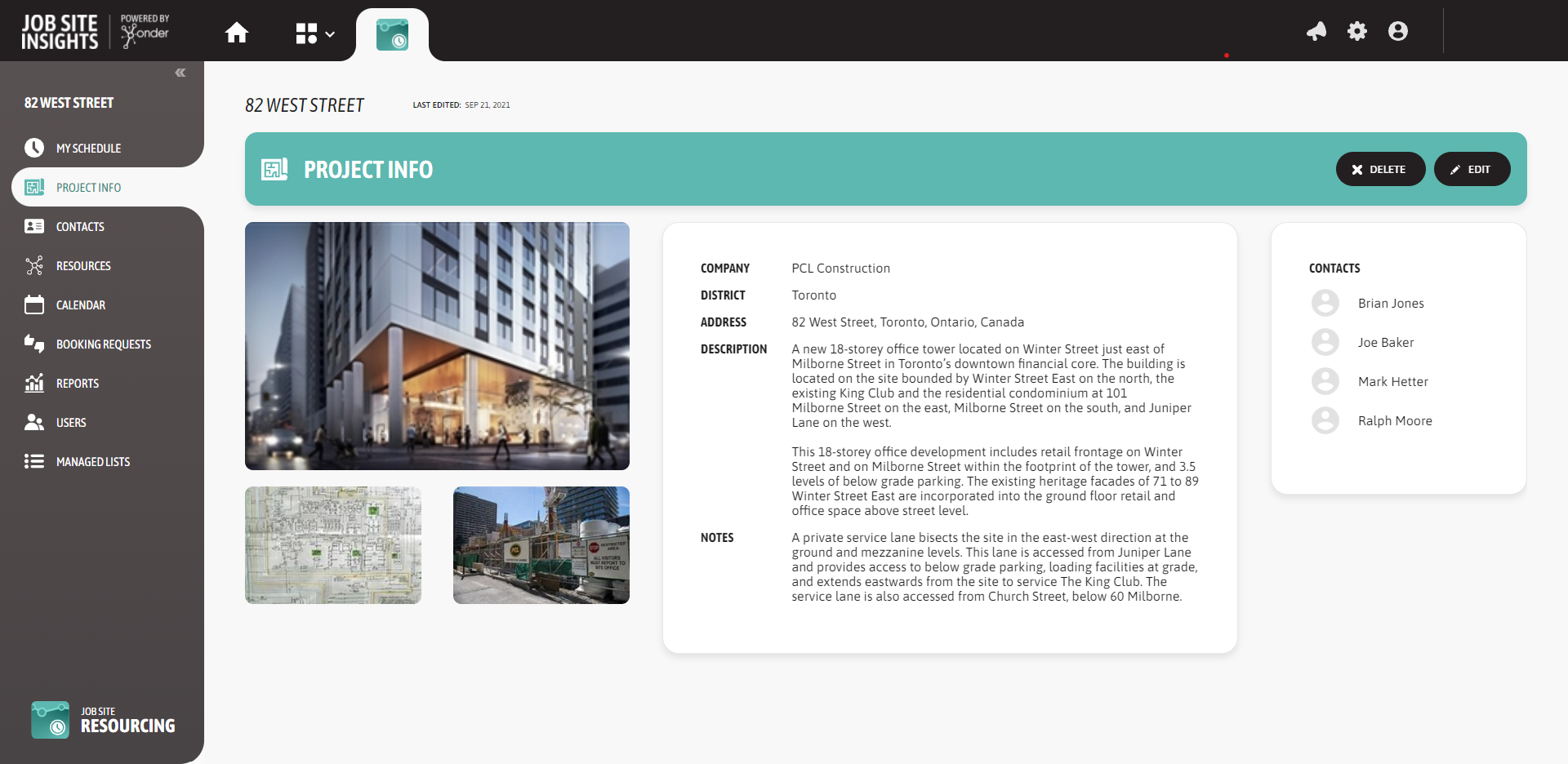
The Project Info Page is used to manage the information about the project.
Complete general notes about the projects used to communicate to the trades.
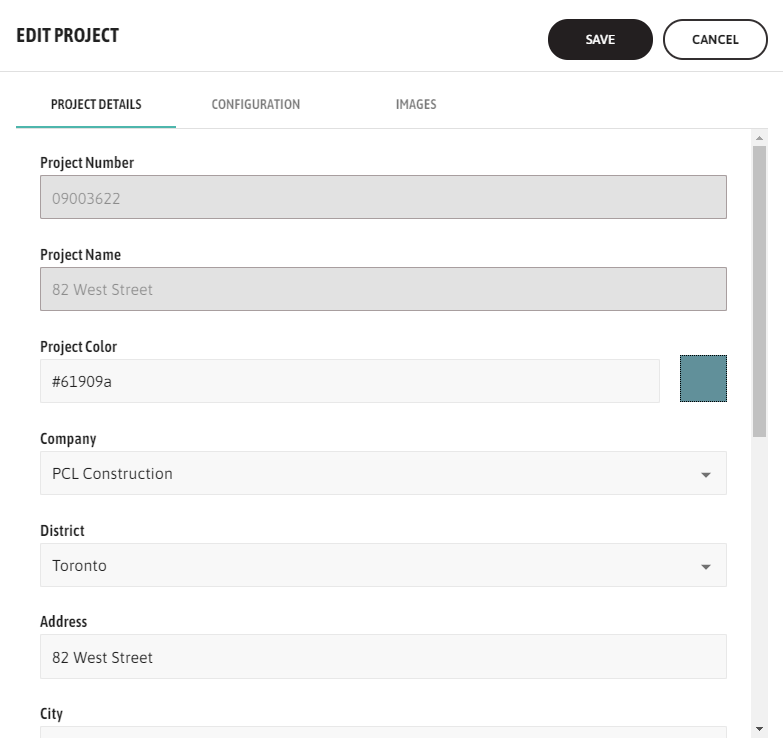
Optionally, upload a cover image for the project and complete the address information where the project is located.
Add any additional images, pictures, plans or drawings for the project.
# Project Configuration
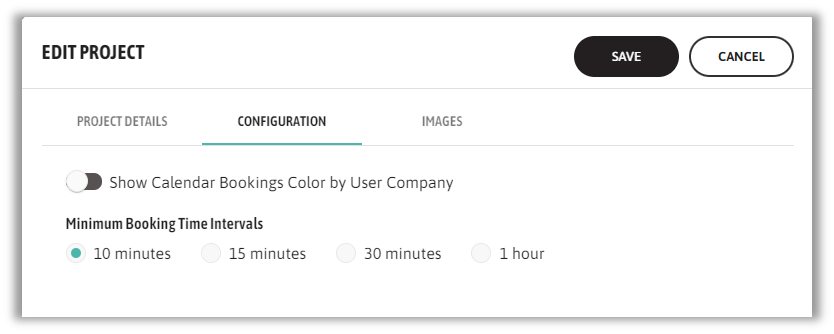
The Configuration tab determines the setting for the colors of the Calendar page. The options are to show the booking requests based on the colours assigned to the resource or to the color assigned to the company who created the booking. If the project chooses to show booking color based on Company, complete the color selection under the Companies Managed List for each company registered for the users who have access to JSR for the project.
Minimum booking time intervals provides the option to set the minimum time that the project would like to allow during the resource booking. Projects have the option to select between 10mins, 15mins, 30 mins or 1hr. Based on the selected option, the bookings time increments will vary while creating the booking requests.
Note that only ONE interval can be selected that will apply to all the project resources.
# Uploading an Image to a Project or Resource
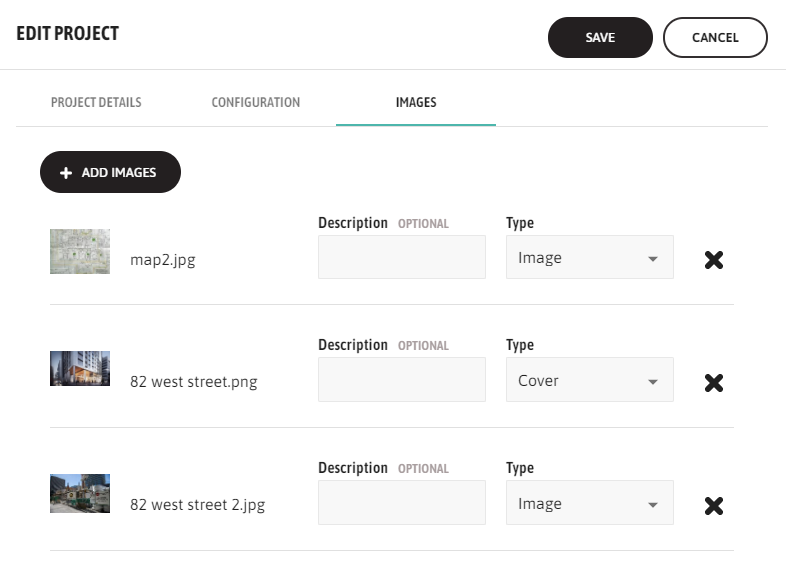
From the Project Detail page (either Add or Edit), open the Images tab.
Select the Add Images function to upload a new image. Choose the image from the file store.
If this image is the cover image for the project or resource, in the Type picklist, define this image as the ‘Cover’ image. Supplementary images can be assigned the type ‘Image’.
← My Schedule Contacts →